Bruno Croci originally created the game as a lightweight entry for the js13kGames 2021 competition under the 13-kilobyte constraint, after which it expanded into a widely played browser idle title.
Spacebar Clicker turns one humble key into a growing machine of automated helpers. You hammer the spacebar, a number climbs, and soon a Monkey starts earning points on your behalf. Bruno Croci built it for the js13kGames 2021 competition, and its tiny footprint still shapes how fast it loads and how smoothly it runs.
The loop is simple and hard to put down. Press a single target, collect currency, then spend it on helpers that earn for you and upgrades that make every click count for more. Because nothing in the game punishes you, the only pressure is your own curiosity about what unlocks next.
Ready to see how far one key can take you? Start playing Spacebar Clicker right here, then come back to this guide when you want to sharpen your strategy.
Core Mechanics of Spacebar Clicker
Manual Tapping and Dual Input
Everything begins with a single target. On a keyboard you press the Space Bar. With a mouse you click the Left Mouse Button on the large virtual spacebar shown on screen. On a phone or tablet you tap. Each press adds to your total, and that total is the currency you spend on everything else.
Why does that matter? The first helper costs a chunk of points, and the opening stretch is the slowest part of the whole run. Doubling your manual rate gets you past that grind much faster, so your first automated income arrives sooner. Think of dual input as a short-term boost that pays for the long-term machine.
When you buy a new helper, watch how your rate changes compared with your hand speed alone, and you will start to feel when it is time to ease off the keys.
The menu opens as the total grows, so the early minutes are a steady run of small purchases rather than one long wait. Your fingers do the hard work first, and the helpers take over afterward.
Automated Helpers and the Upgrade Store
Early Tiers from Monkey to Boomer Mom
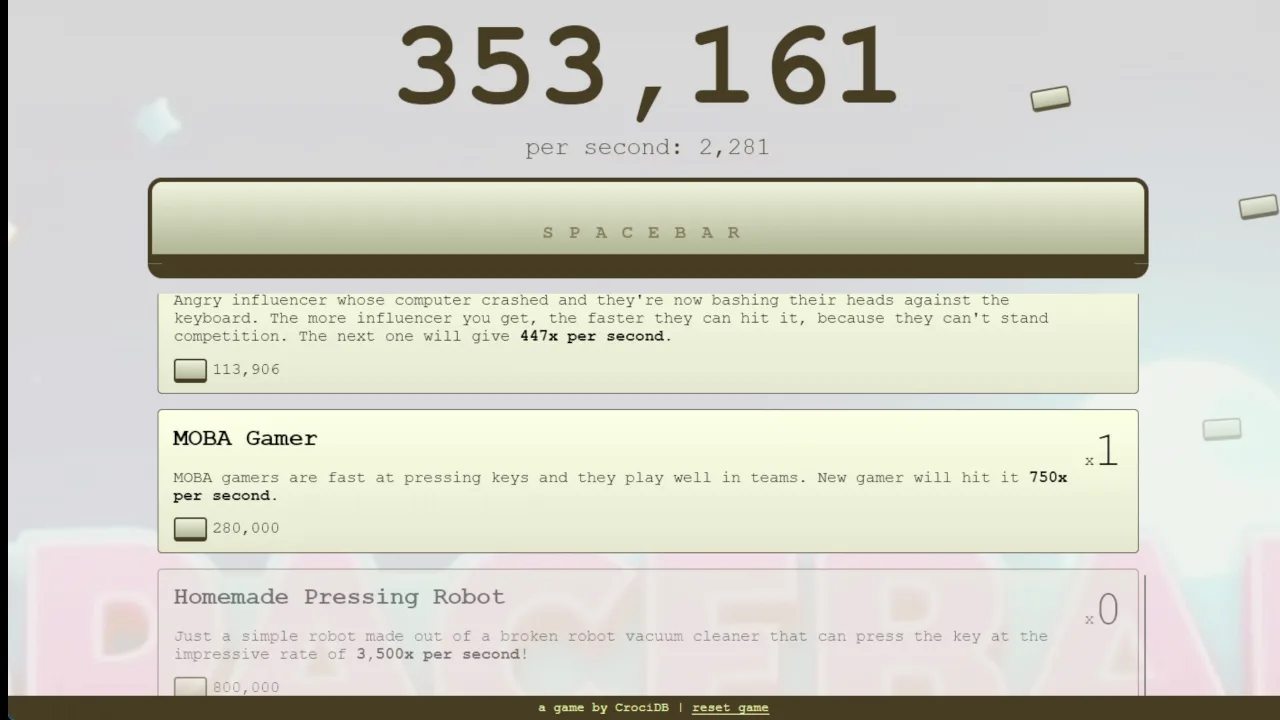
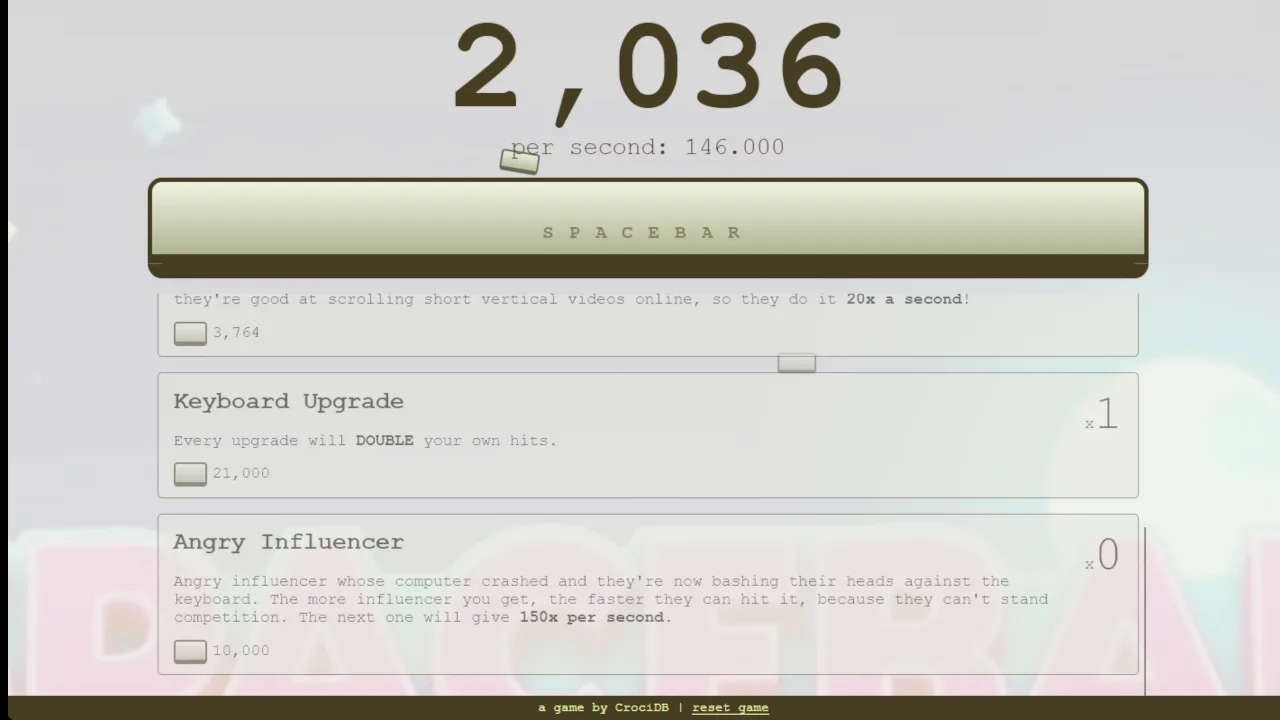
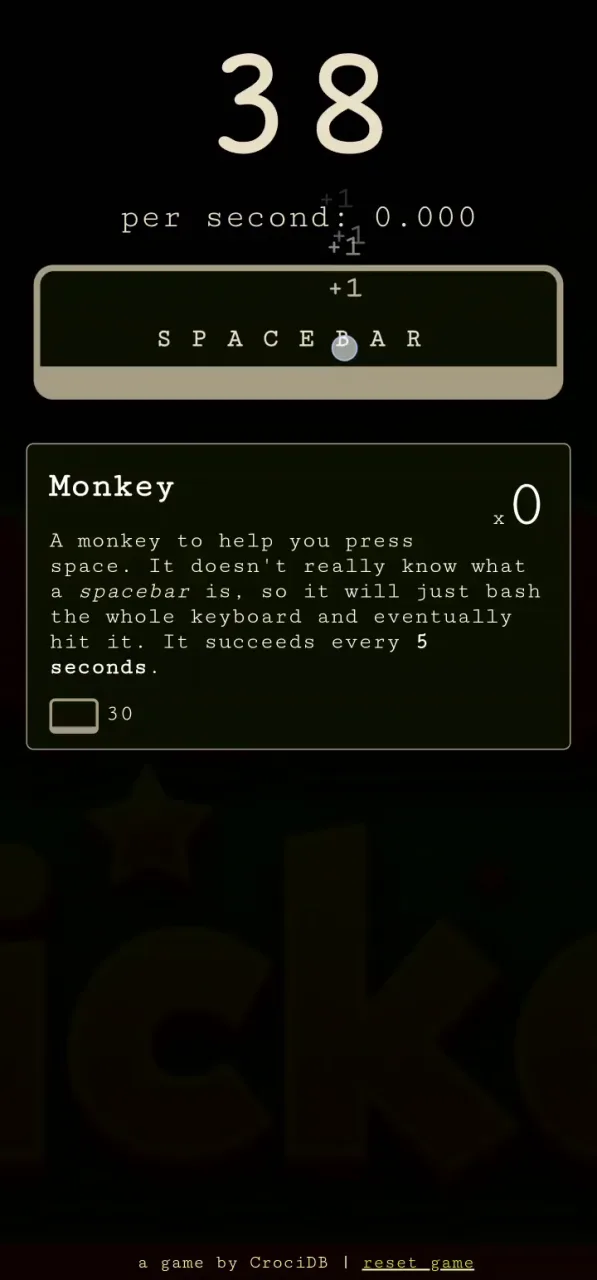
The store lives in a menu on the side of the screen. It opens once your total reaches the cost threshold, and it keeps expanding as your points climb. New entries appear at higher thresholds, so you rarely run out of things to chase.
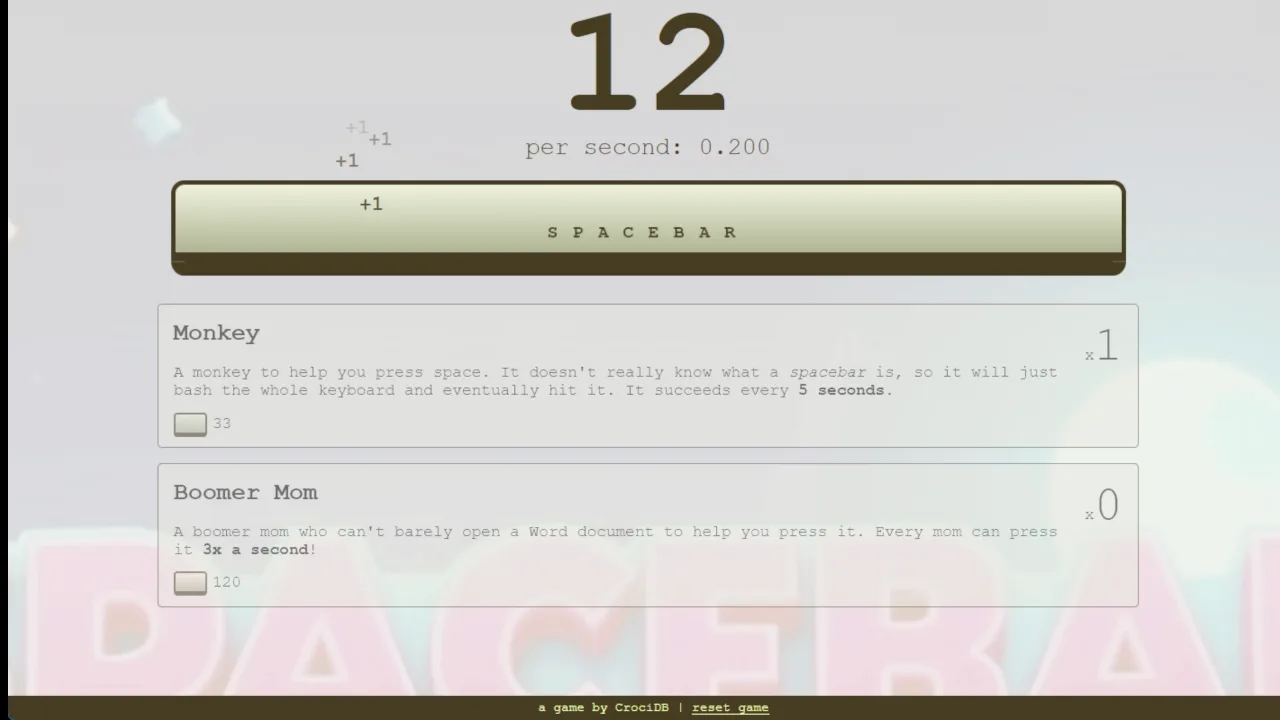
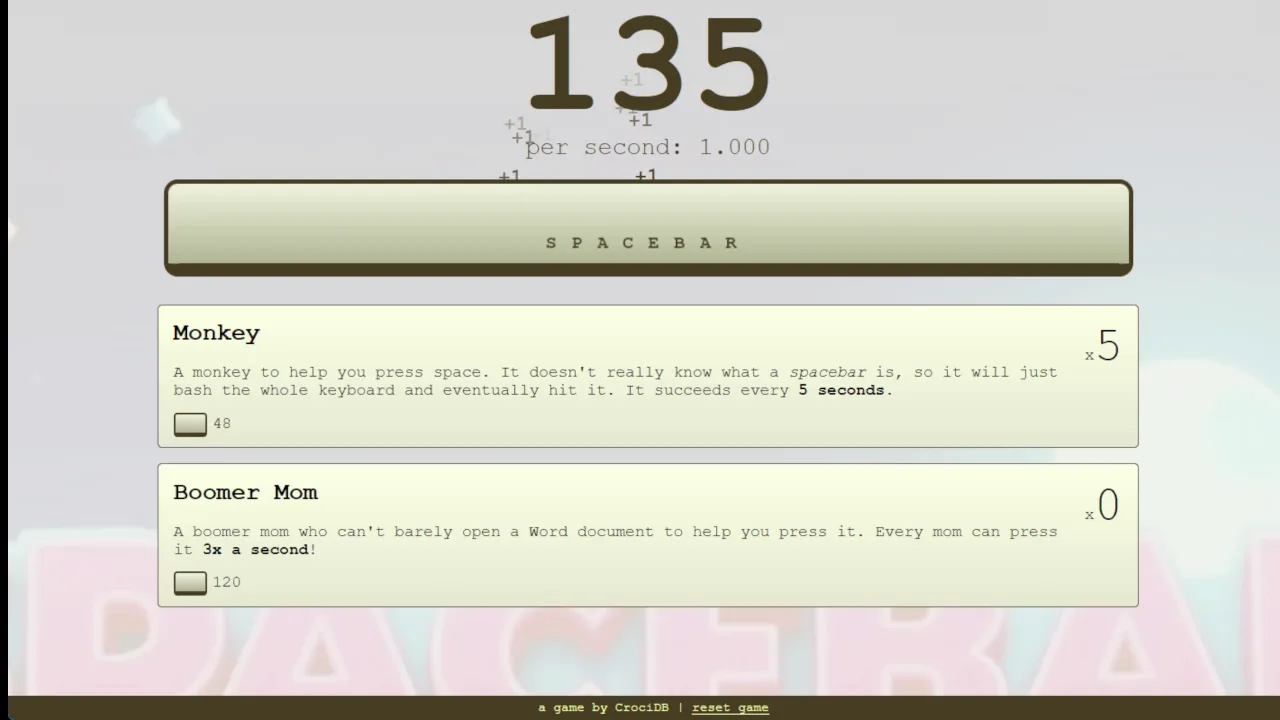
Your first real purchase is usually the Monkey. It is an early helper that brings in automated point income, so you earn even when your hands rest. It is a small trickle, but it never stops, and that changes how the whole run feels.
Once the Monkey is working, passive earnings fund the next step. You can reinvest them into advanced helpers such as the Boomer Mom, which builds hands-free growth that compounds as you stack more units. The store also offers direct click-multiplier upgrades alongside helpers. Those make each press worth more, so your manual taps stay useful even late in a run.
Cost Scaling and Value Milestones
Prices climb every time you buy more of the same helper. The tenth Monkey costs far more than the first, so buying one type forever stops making sense. Watch for the moment when an early helper gets pricey.
That is your cue to look further down the list. Newly unlocked tiers usually offer bigger leaps in output for the cost than another copy of a cheap unit. Compare what each option adds before you spend.
Want to compare this loop with similar games? Browse more titles in the Clicker category.
Spacebar Clicker Efficiency and Progression Strategy
Transitioning from Active to Passive Play
When should you stop mashing? Start by tapping hard, because your hands matter most before any helper is running. Once a Monkey and a few early units are earning, your manual rate becomes a smaller slice of the total. That is the signal to shift your focus toward reinvesting.
A good habit is to check your CPS after each purchase. If a new helper adds more than your fingers could in the same moment, keep feeding the store and tap only when you are waiting anyway. Spending points beats saving them, since every helper you own is working while you decide.
Mix the two styles rather than choosing one forever. Click-multiplier upgrades keep your taps worth the effort, while passive earnings climb on their own. When the next tier is just out of reach, a short burst of dual input can close the gap quickly.
Active Tab Maintenance
Helpers keep earning only while the browser tab stays active. Your points stay put when you leave, but income does not pile up in the background. Keep the tab open and visible if you want the machine running.
Plan around that. Leave the game in its own window while you read or watch something nearby. Switching away for long stretches means lost production, so treat the tab like a worker that needs to stay on shift.
Run Longevity and the Absence of Failure States
Self-Paced Play Without Game Over
There is no game-over screen in Spacebar Clicker. Nothing chases you, nothing can end your run, and no mistake costs you progress. You set the pace, which makes it easy to play in short bursts or settle in for a long session.
That freedom shapes how you play. Without hazards, your goals come from you. Maybe you want to afford a certain helper, push your CPS past a number you picked, or see how many units you can stack before prices bite. Those targets are yours to define.
The game suits quiet moments as much as intense ones. You can tap furiously, or you can buy one upgrade and let it work. If you enjoy this calm style, the Idle and Incremental collections hold more games built around the same low-pressure loop.
Endless Incremental Thresholds
The store keeps growing as your total grows. New entries appear at higher thresholds, so there is always another goal just ahead. You rarely hit a wall where nothing is left to buy.
Each new tier gives your numbers fresh room to climb. Pick the next unlock, work toward it, and enjoy the small jump when it lands. The loop never closes, so a run lasts as long as you want it to.
Technical Origin and Platform Architecture
The js13kGames 2021 Foundation
Bruno Croci, who publishes as CrociDB, made Spacebar Clicker in 2021 as an entry for the js13kGames competition. That contest caps every game at 13 kilobytes, so the whole original package had to fit inside that tiny limit. The result runs on an ultra-lightweight JavaScript engine built for the competition.
That constraint is why the game loads instantly in your browser. There is little to download and almost nothing to wait for. After the contest, the game grew into a widely played browser idle title, and the lean design came along with it.
Chromebook and Mobile Optimization
The small engine also helps on modest hardware. Spacebar Clicker runs well on low-spec desktops and Chromebooks, and a mobile app is available too. On a phone you simply tap the screen.
Want to try it yourself? Try Spacebar Clicker right here, on whatever device you have nearby.
Both feature an incremental idle progression system where clicking a primary central object generates a base currency spent on automated production upgrades that generate currency per second.
Both share a core mechanic where manually clicking the target generates points that are invested into passive income generators and click-multiplier upgrades.
Both utilize a continuous clicking mechanic centered on a single focal element to accumulate points for buying tiered passive-generation upgrades.
✨ Key Features of Spacebar Clicker
Progressive helper roster including quirky units like the Monkey and Boomer Mom
Ultralight JavaScript engine providing instant load times on low-spec devices
Endless incremental loop without game-over screens or fail states
Side upgrade shop dynamically revealing higher-tier helpers as totals climb
How to Play Spacebar Clicker
Step 1: Generate Initial Points
Begin tapping the physical spacebar on your keyboard or left-clicking the virtual spacebar on screen to collect your first points.
Step 2: Utilize Dual Inputs
Use one hand on your keyboard spacebar and the other on your mouse to dramatically increase your initial clicks per second.
Step 3: Purchase Early Helpers
Open the side upgrade shop once your total reaches the cost threshold and buy your first automated helper, such as the Monkey.
Step 4: Scale Up Passive Income
Reinvest your passive point stream into advanced helper tiers like the Boomer Mom to generate exponential hands-free gains.
Step 5: Maintain Active Tab Production
Keep your browser tab open and focused so your automated staff continues to generate points uninterrupted.
Spacebar Clicker FAQs
What are the basic controls for Spacebar Clicker?
Browser keyboard: Space Bar — click to play. Browser mouse: Left Mouse Button — click to play. Mobile: Tap — tap to play.
Can I play Spacebar Clicker on mobile devices?
Yes. Spacebar Clicker runs in your phone or tablet browser, and it has touch controls. There is also a mobile app.
Do I need to download Spacebar Clicker?
No. Spacebar Clicker runs in your browser on this page, with nothing to download or install.
Does Spacebar Clicker have a game-over screen or ending?
No, the game features no failure states, countdown timers, or game-over screens. Your run continues indefinitely, letting you unlock expanding tiers of automated helpers at your own pace.
Who created Spacebar Clicker and when was it released?
Spacebar Clicker was created by developer Bruno Croci in 2021. It was originally built as an ultralight project for the js13kGames development competition.
Conclusion
Spacebar Clicker, released in 2021 by CrociDB, is a singleplayer incremental clicker built with HTML5 and JavaScript. Its appeal is simple: press the Space Bar, click with the left mouse button, or tap on mobile, and watch your progress grow.
The game rewards steady play, as your own manual clicks give way to automated helpers that keep the count climbing. It runs right in the browser on desktop and mobile, so there is nothing to install and no barrier between you and the first click.
Ready to see how far you can take it? Start playing here on this page and give your spacebar a workout.
Spacebar Clicker Game Video
DailymotionWatch Gameplay
Game Controls
Space Bar
Click to play
Left Mouse Button
Click to play
Tap
Tap to play
No comments yet. Be the first to share your thoughts!



No comments yet. Be the first to share your thoughts!